ExpressTDS: Prepare TDS Returns 2X Faster

Express TDS (Anytime, Anywhere, Any Device)

TRY IT FOR FREE

Express TDS Dashboard: Simplified Management for Deductor Returns and Compliance

Monitor Filed and Pending Returns, Manage Unconsumed Challans, and Track Deductee Status with Intuitive Graphical Insights.

Deductor Dashboard

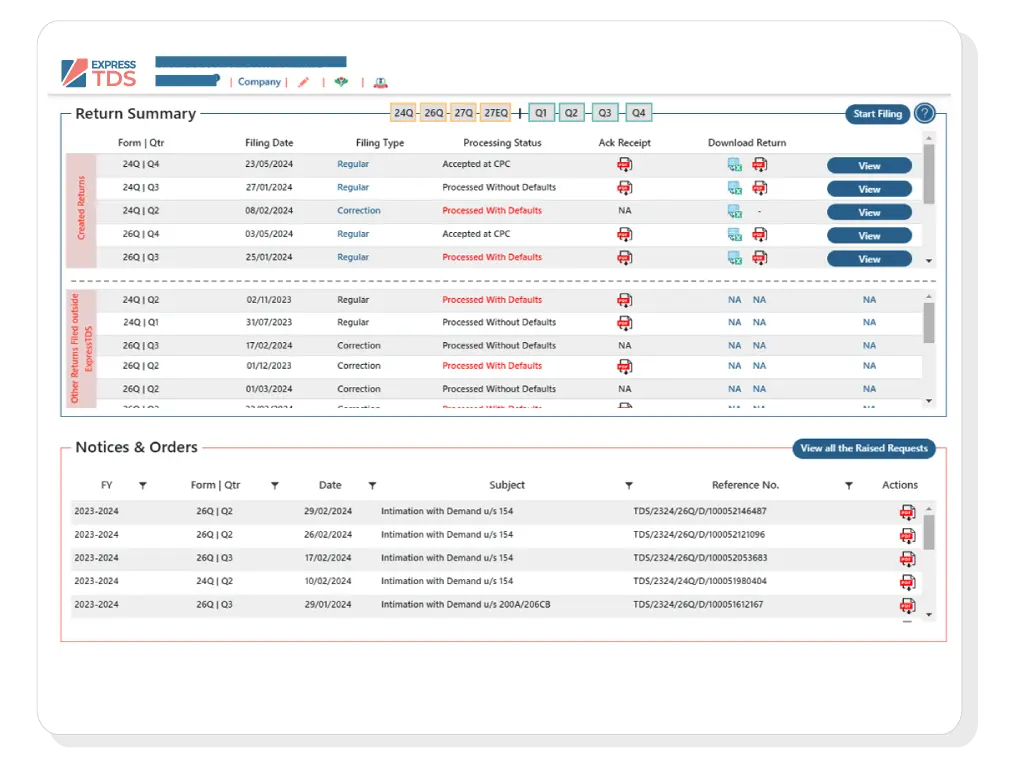
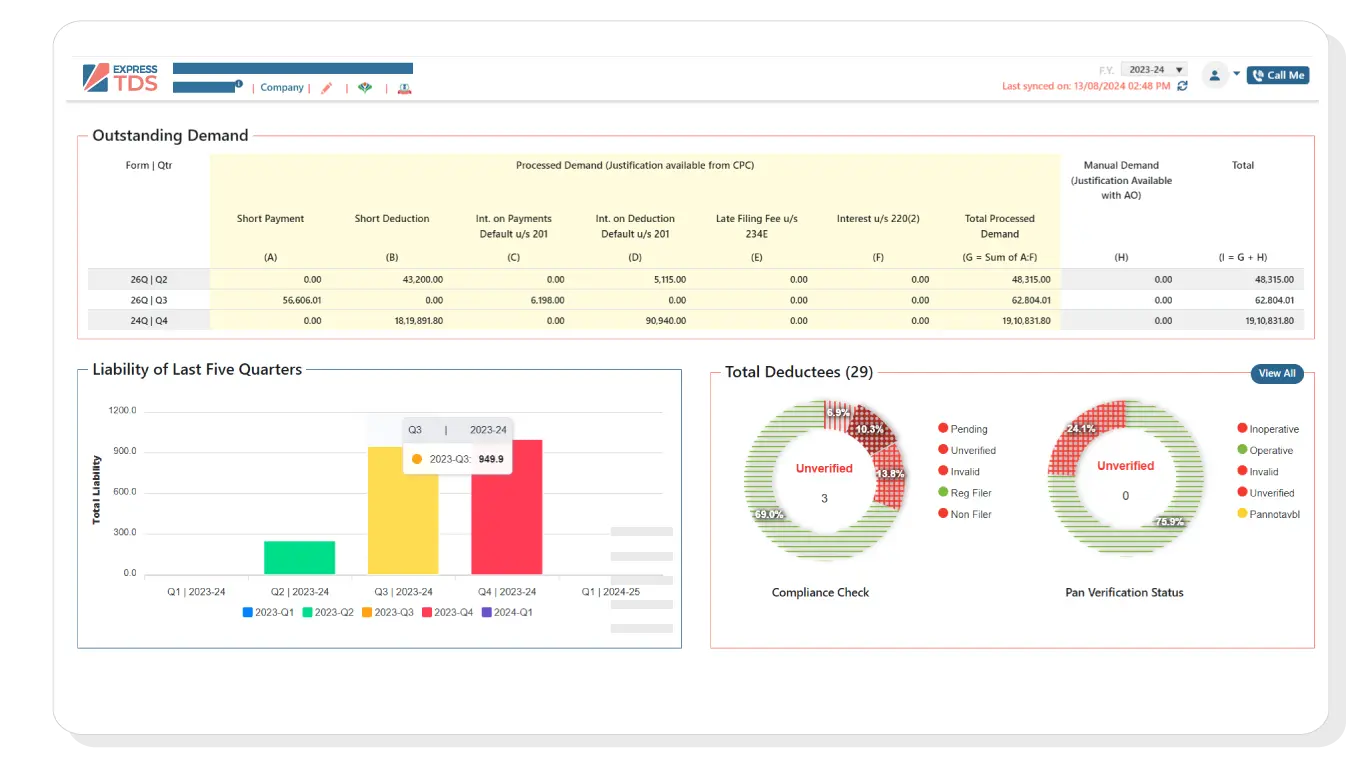
Deductor Dashboard for Filed / Pending Returns and Correction Statements due, Status of processed Return (e.g. Rejected, processed with Default, Yet to be Processed etc.) unconsumed challans, deductees etc.

  • All the returns that exist as on the Current Date in the system (Filed or Not Filed) along with a short return summary and application notifies for pending return jobs.

  • View all the Unconsumed Challans.

  • View the list of all the Active Deductees.

  • A graphical representation of all the Deductees, bifurcated by their PAN Status.

  • Filter Deductees that come under the selected PAN Status.
Returns

Single Page View of All the Returns

Birds eye view from Return dashboard for Mapped Challan, Section-wise summary of the Deductee Transactions, Quick links and Graphical view of PAN Status & Challans

  • Check the status of all the Rejected, processed with Default, yet to be Processed returns in one-click.

  • Mark "Done" returns as on the current date in the system.

Single Page View of All the Returns

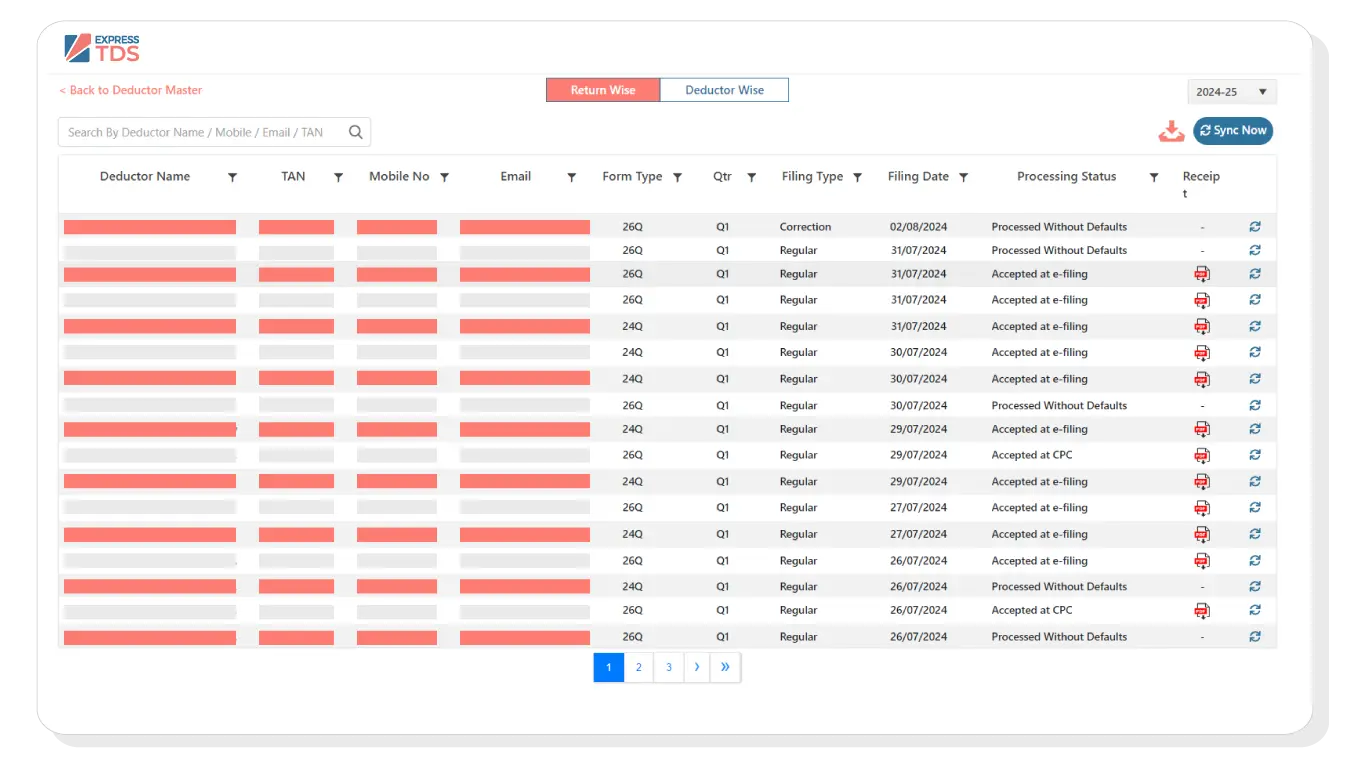
Deductor Master

Create Deductor by auto-populating the deductor details through

  • Income Tax e-filing Portal

  • TAN Details

  • Import from TXT File

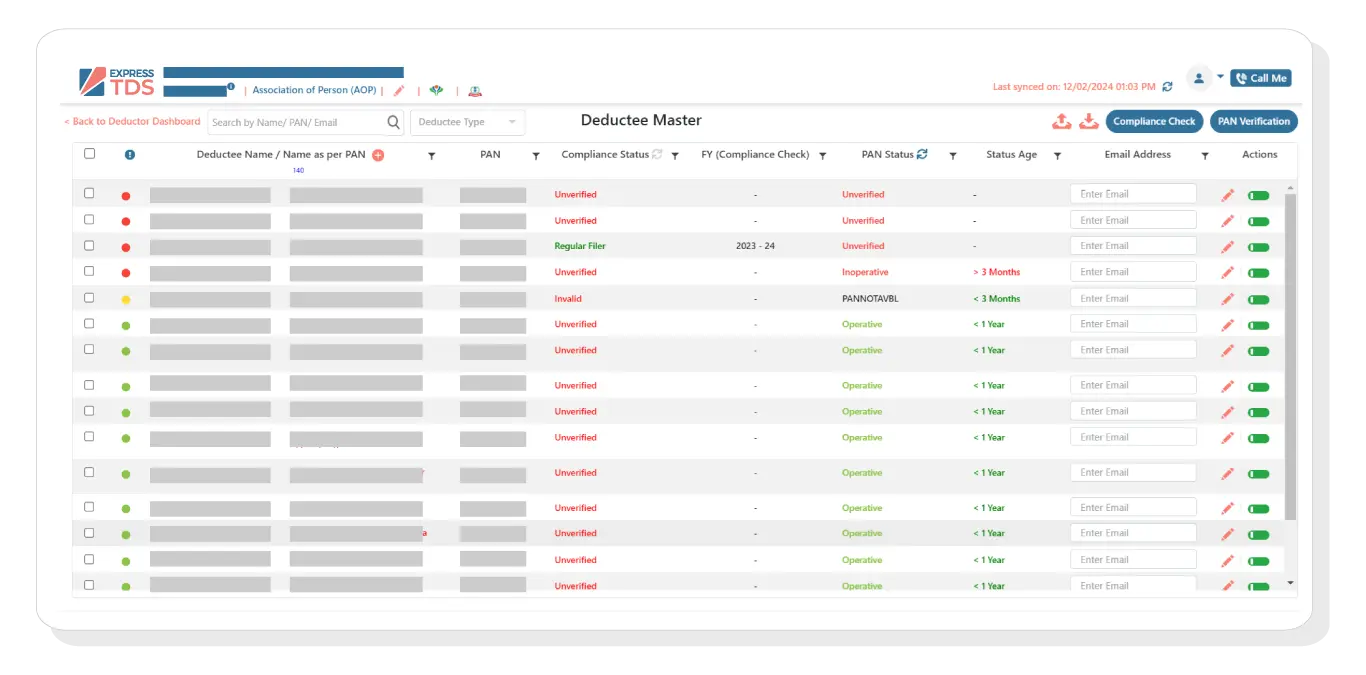
Deductee Master

Deductee Master

  • Activate or Deactivate a Deductee.

  • The deactivated deductees do not appear as a suggestion while creating a new transaction.

Deductee Master

Challan Master

  • Fetch Unconsumed Challan(s) from TRACES and Verify from OLTAS.

  • Import verified Challan to map Deductee transactions later.

Returns

Return Dashboard

  • View the complete return details of a selected deductor as available on the current date.

  • View the short return summary.

  • Challan mapped with the selected return.

  • Top 5 Deductees with Maximum Tax Deducted under the return filled.

  • Quick links for the actions you might want to perform in a return filing.

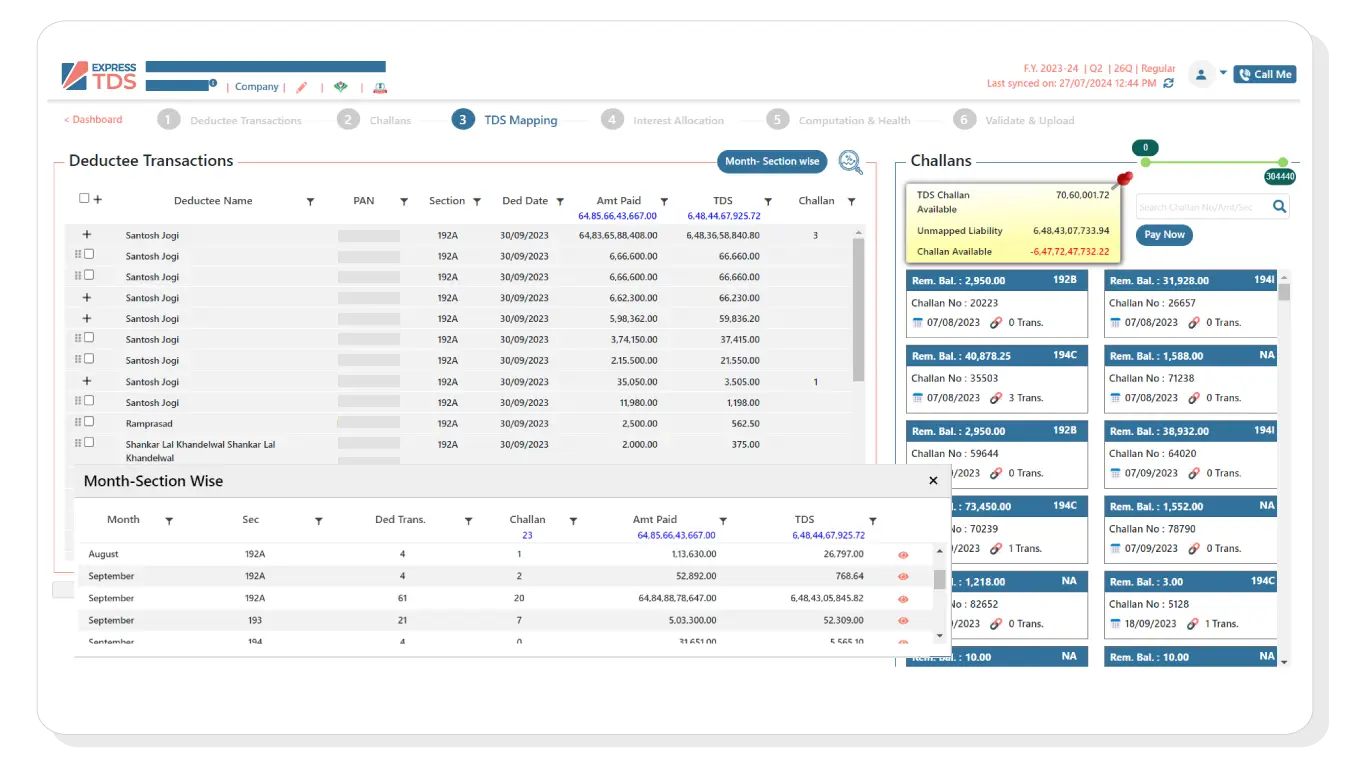
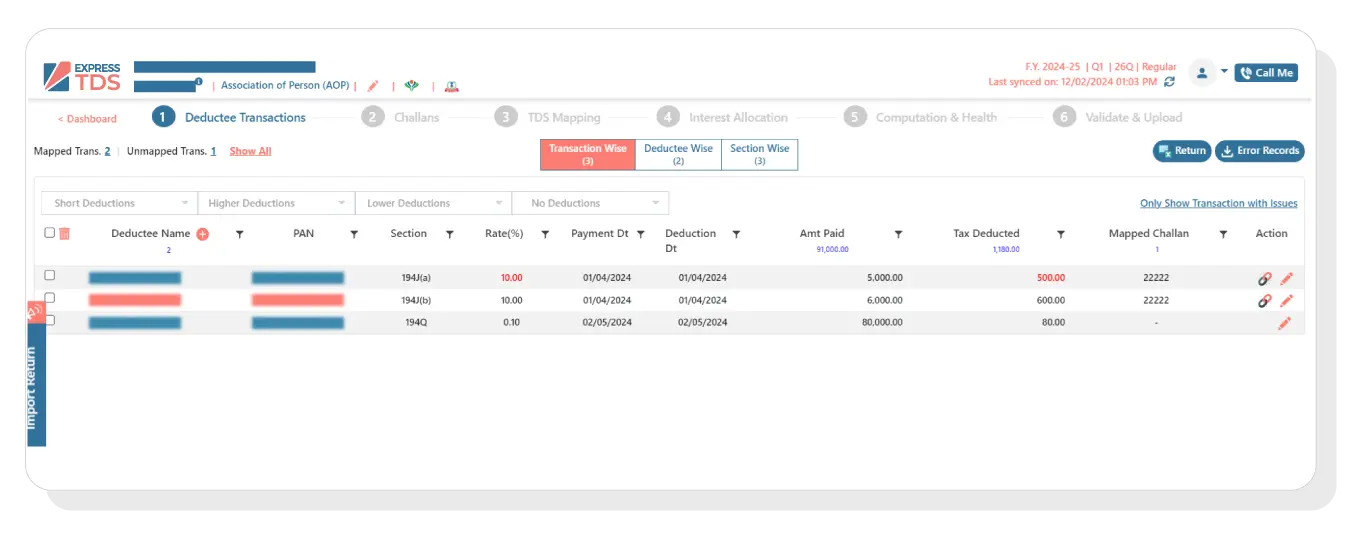
  • Section-wise summary of the Deductee Transactions created within the return filing.

  • Import returns from txt files and Conso Files.

Deductor Dashboard

PAN, TAN and Challan Verification

PAN Verification

  • Verify Single/Bulk PAN.

  • Upon successful verification, View the updated verification status in the system and visible across the website (wherever applicable).

TAN Verification

  • Verify TAN. This will check if the Deductor Name and TAN available in Express TDS is same as that fetched from the source.

Challan Verification to Avoid Defaults

  • Select one or more challan, hit verify to ensure that the details added in the system matches with details on OLTAS.

Challan and Deductee Transaction Creation

  • You get the flexibility to decide if you want to create the Challan first or the Deductee Transactions first.

  • Within Challan/Deductee creation process, you can switch between the vertical and horizontal view of the creation panel so that you can edit or create data as per your convenience.

  • Multiple Options in Challan Section

    • Under Challan section prepare and print the Offline Challan PDF, which you can later use to deposit the Challan amount.

    • You can also view the total unconsumed amount for each Challan, as available in the software

    • Ability to view the total unmapped amount that can be used to map Deductee transactions.

Challan and Deductee Transaction Creation

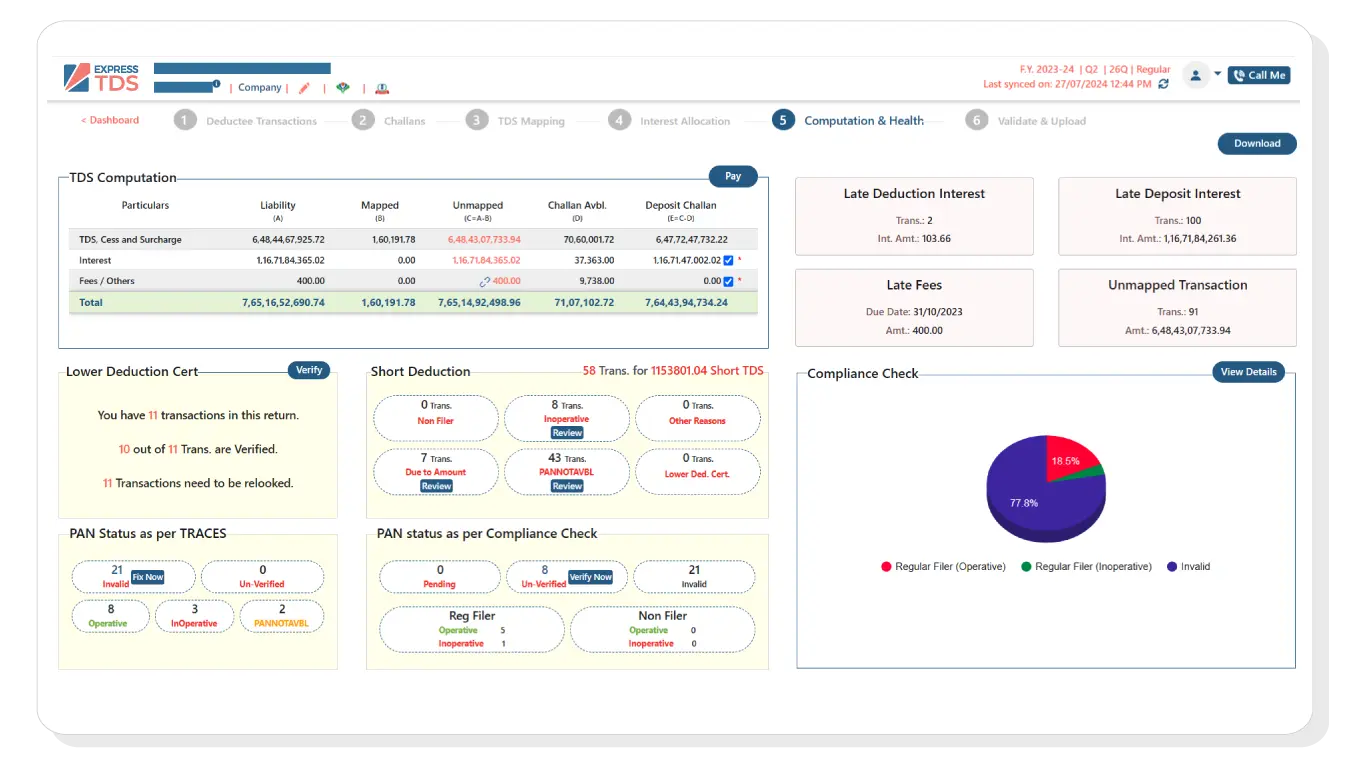
Multiple TDS Computation View


Detailed Computation: This section gives a complete detailed view of the Challans created and Utilized and liabilities including the details of the late fees and interest amount.

Get Demo
Multiple TDS Computation View

Easy Error Handling using Error Locator

  • Auto identification of the potential errors to reduce defaults.

  • Errors, if any, will be shown on a screen in a simple user readable format.

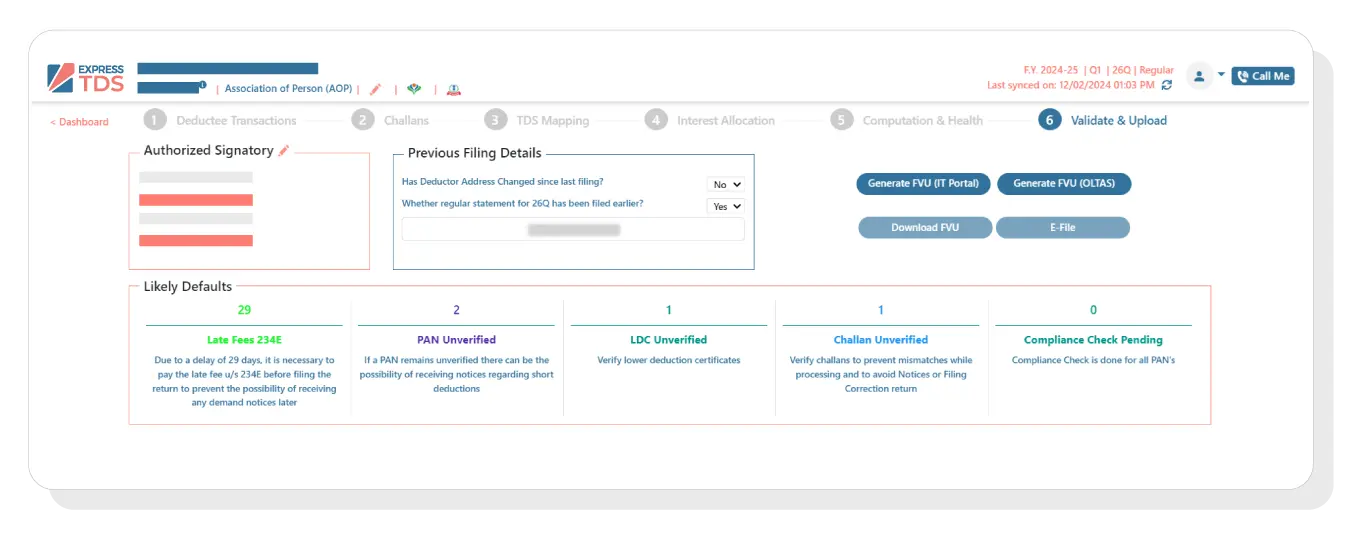
  • Errors can be viewed and resolved on a single screen using an error locator.

  • Generate the FVU is a single click after fixing the errors.

Easy Error Handling using Error Locator

More Features


  • SMS & Email communication from Express TDS Itself.

  • JAVA Free File Validation.

  • Directly Upload FVU File Express TDS to Income Tax India Portal.

  • Seamlessly file 24Q and 26Q regular returns.

  • Intuitive Interface and User-friendly.

SMS & Email communication from Express TDS Itself

Download various reports in Excel like:

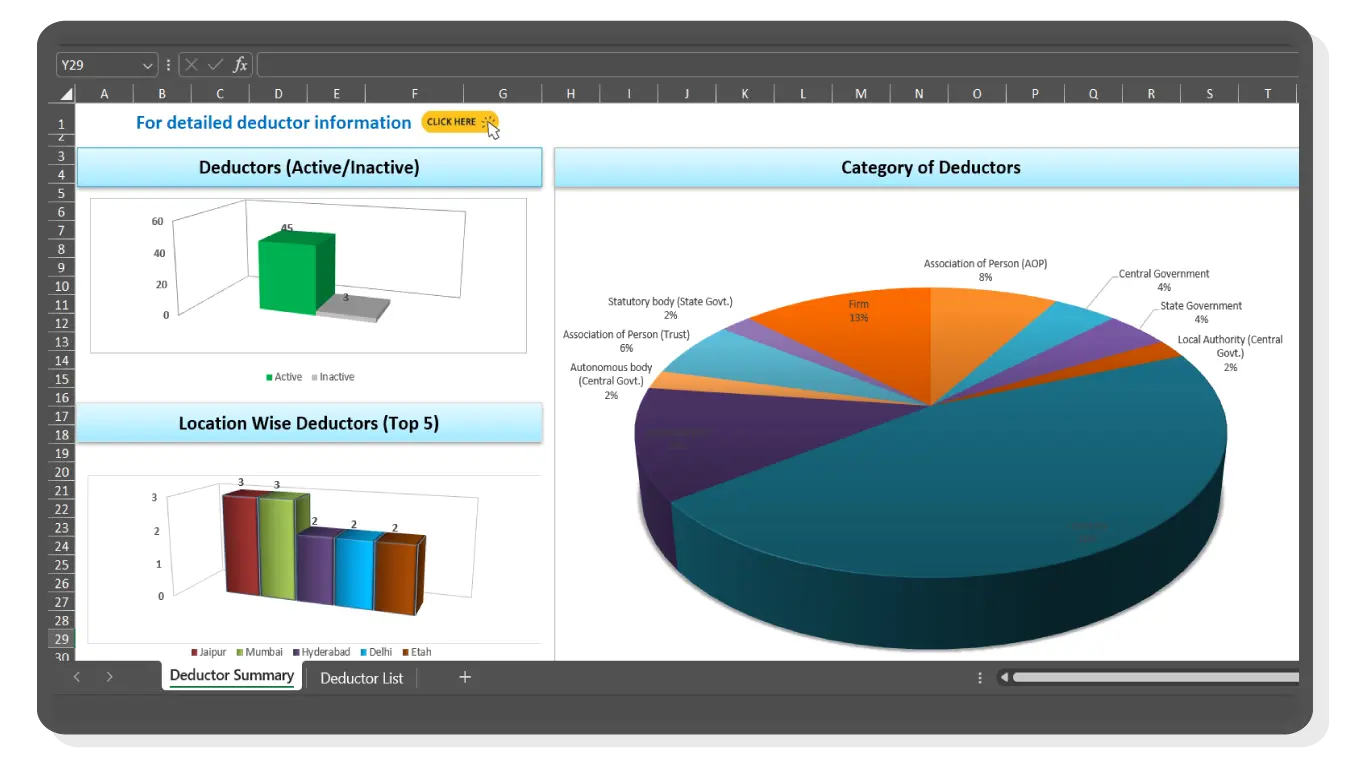
  • Deductor Master

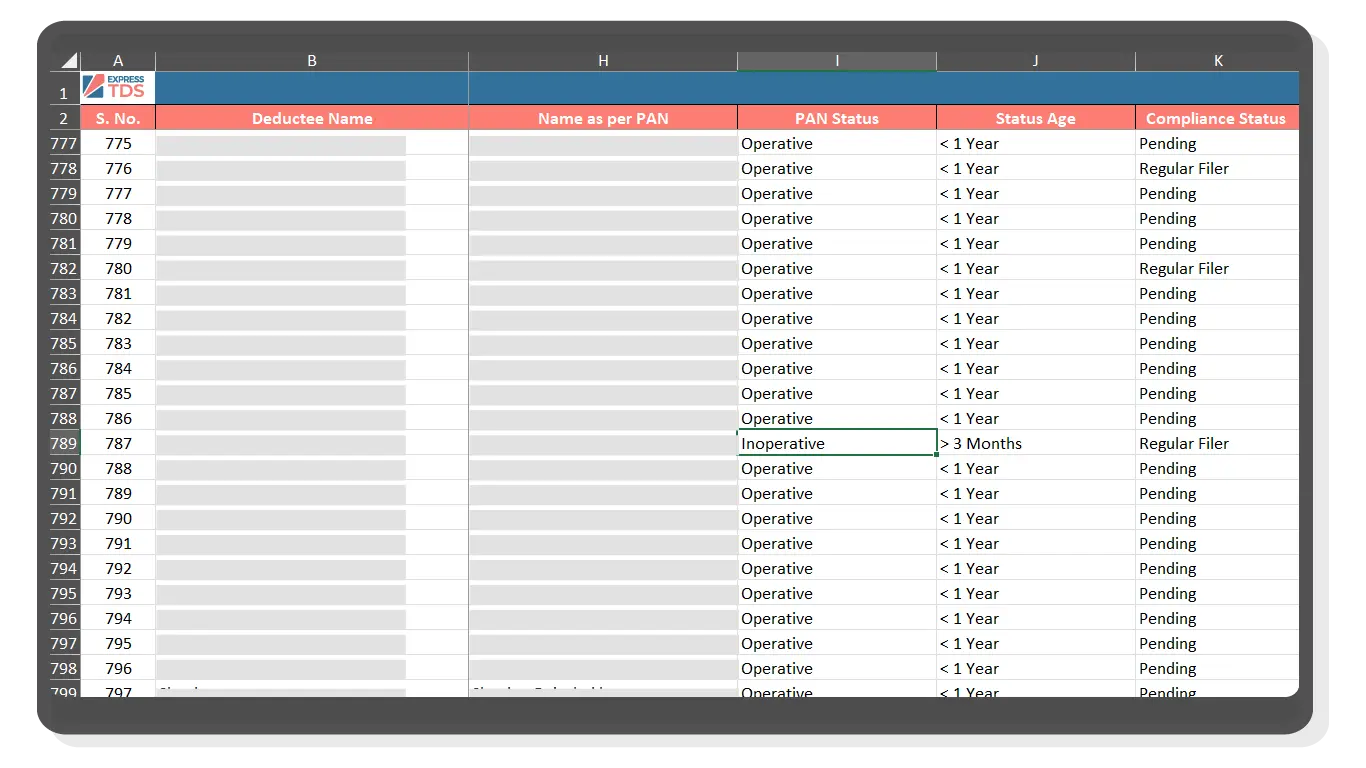
  • Deductee Master

  • Complete TDS computation and Health Report

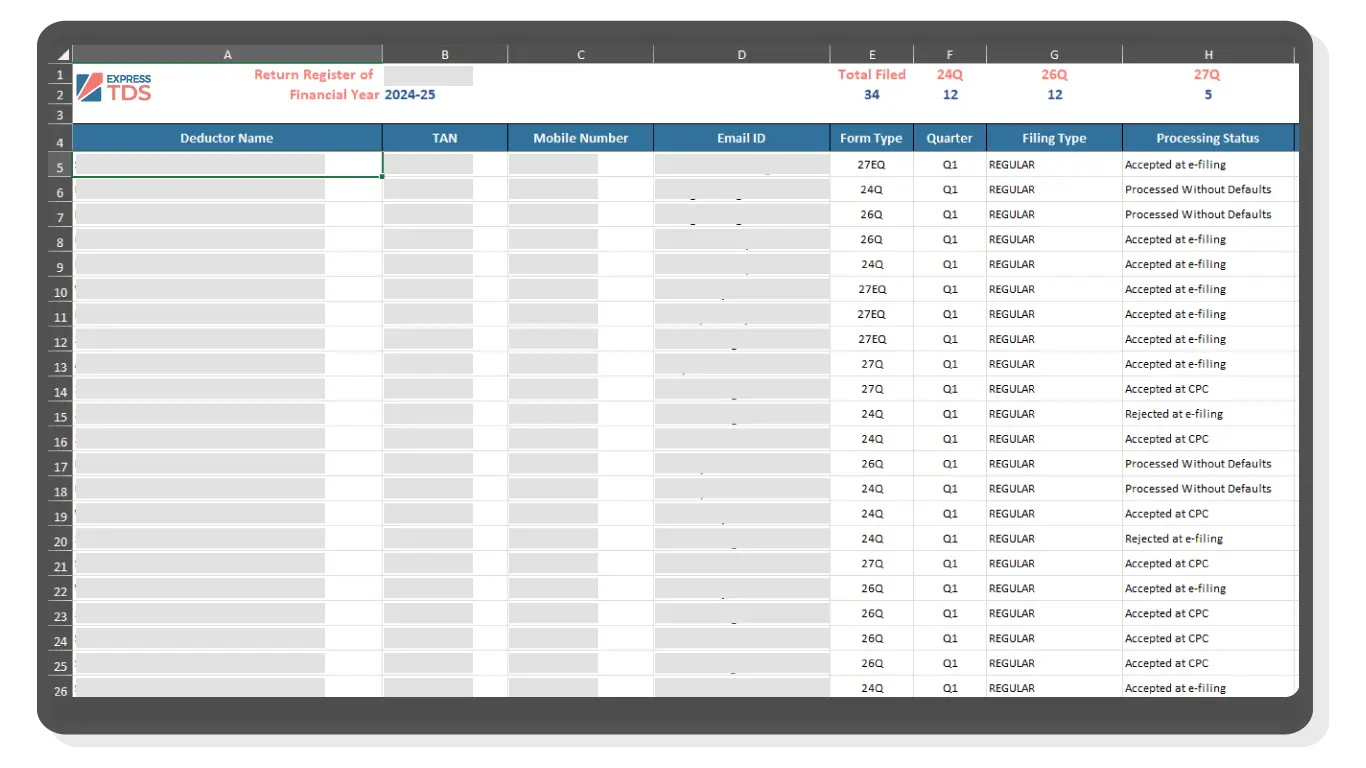
  • Return Register

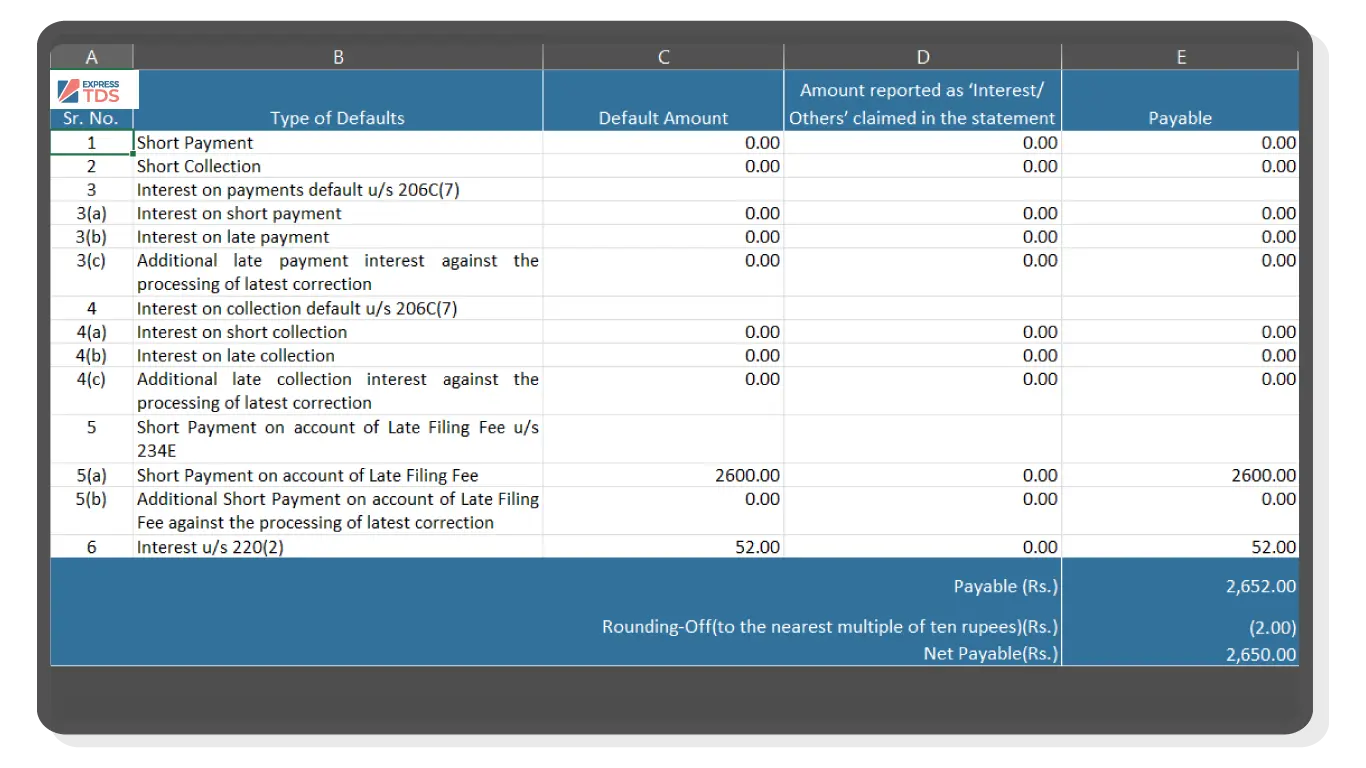
  • Default Summary like Justification Report

  • and Many more...

Deductor Master Complete TDS computation and Health Report Return Register Default Summary like Justification Report